Split cost allocation data
在进行后面的查询前,我们先部署kudos,这是一个综合的CUR方案,即可以配置CUR2.0,又可以创建athena表,并在quicksight展示帐单用量。
部署kudos
这个方案可以将多个帐号的CUR聚合到一个管理帐号,统一展示:
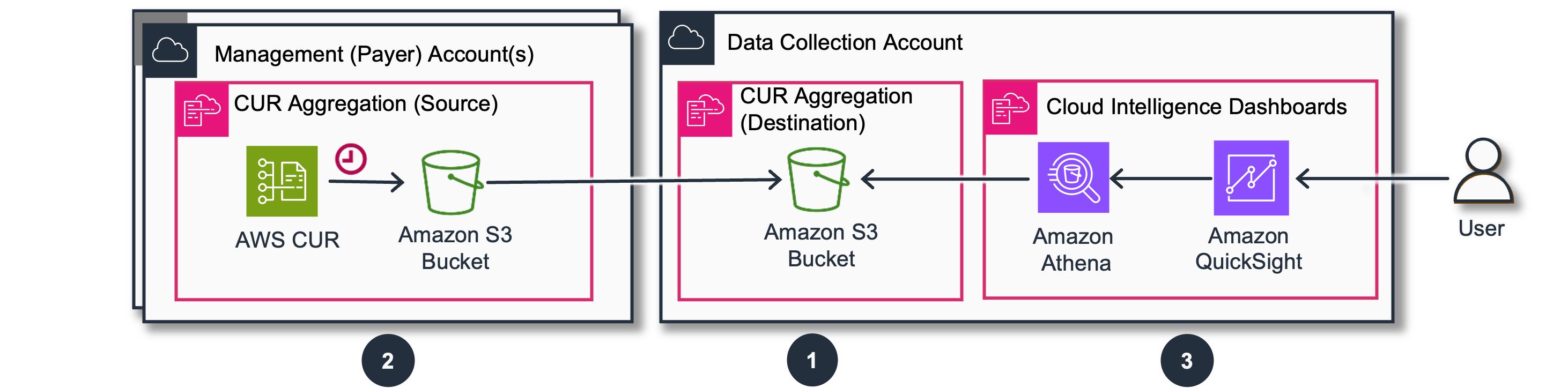
在这里我们以payer帐号为例,只涉及步骤1和3.
步骤 1. [数据收集账户] 创建 CUR 聚合目标
-
登录我们的数据收集账户。
-
在 CloudFormation 控制台中打开预填充的堆栈模板。此堆栈将创建开放用于复制的存储桶和 Athena 表。
访问:
https://console.aws.amazon.com/cloudformation/home#/stacks/create/review?&templateURL=https://aws-managed-cost-intelligence-dashboards.s3.amazonaws.com/cfn/data-exports-aggregation.yaml&stackName=CID-DataExports-Destination¶m_ManageCUR2=yes¶m_ManageCOH=no¶m_DestinationAccountId=REPLACE WITH DATA COLLECTION ACCOUNT ID¶m_SourceAccountIds=PUT HERE PAYER ACCOUNT IDS关于堆栈参数
- 将
DestinationAccountId参数更新为我们的数据收集账户 ID(当前账户 ID)。 - 确保
Manage CUR 2.0设置为yes。我们可以选择 Cost Optimization Hub(如果我们已激活此服务)和 FOCUS 导出。这将允许我们使用 CORA 和 FOCUS 仪表板。 - 输入我们的源账户 ID,使用逗号分隔多个账户 ID。这些是将其数据导出发送到当前账户中存储桶的账户。如果我们决定在管理/付款账户中部署仪表板,请确保 SourceAccountId 包含当前账户 ID,并跳过步骤 2。
- 检查配置,点击 I acknowledge that AWS CloudFormation might create IAM resources 然后点击 Create stack。
- 我们将看到堆栈将以 CREATE_IN_PROGRESS 开始。此步骤可能需要 5-15 分钟。完成后,堆栈将显示 CREATE_COMPLETE。
- 将
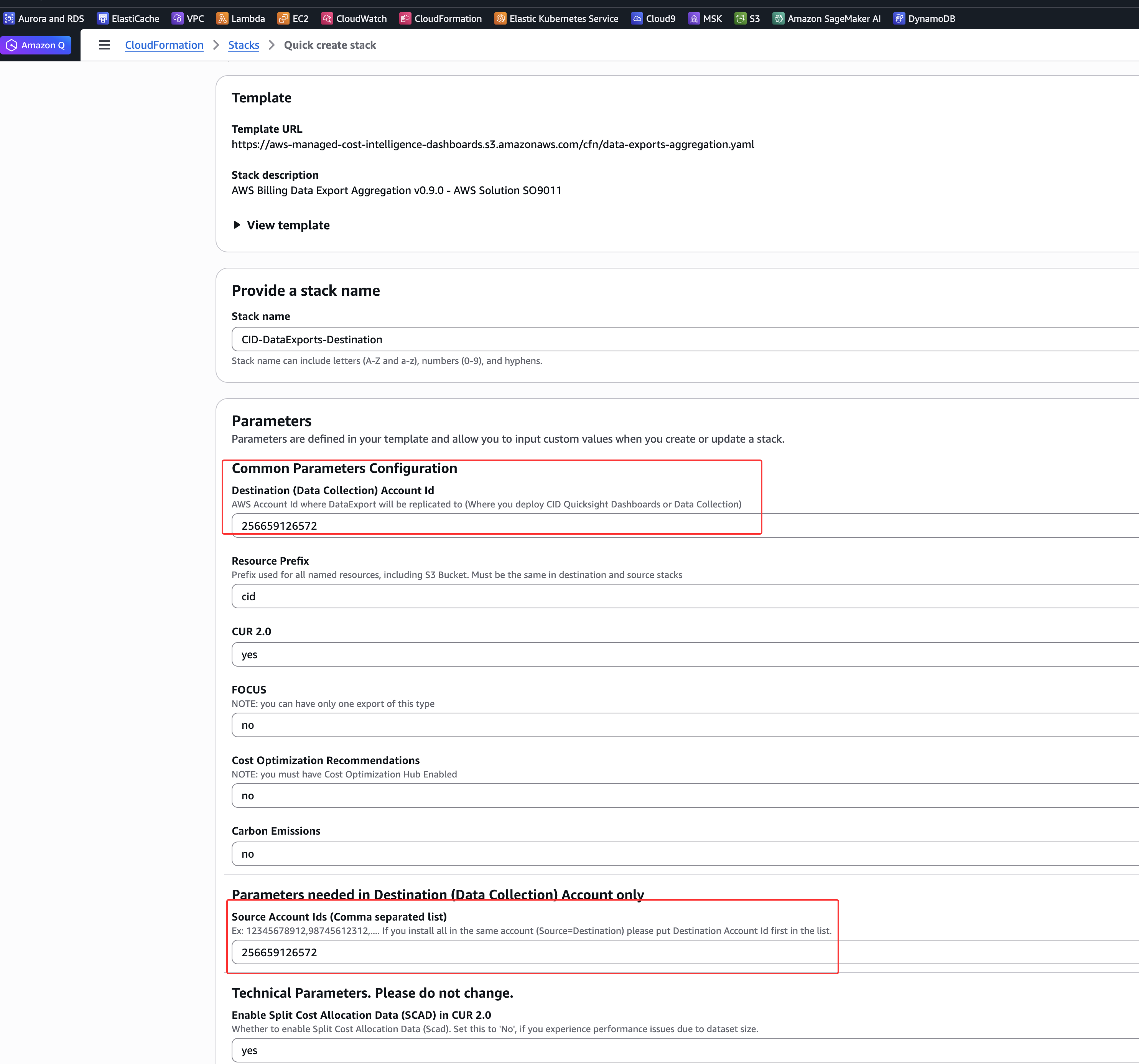
我们的账户中只能有一个此堆栈。如果我们看到指示其中一个导出已存在的错误,请更新现有堆栈,将 ManageCUR2 设置为 yes。
我们可以通过更新此stack,并在源账户参数的逗号分隔列表中添加或删除账户 ID 来稍后添加或删除源账户。
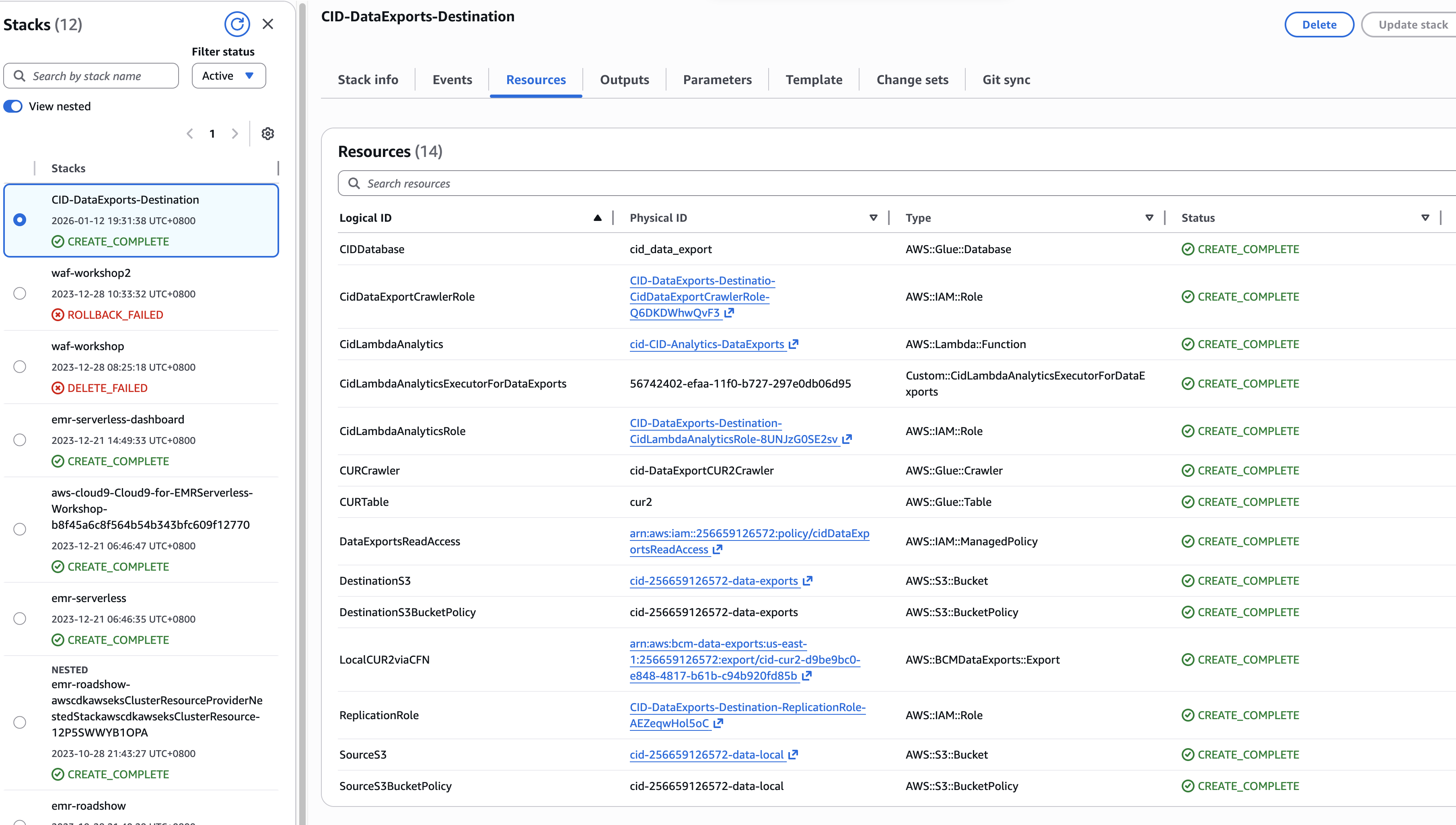
创建完成后的效果:
[数据收集账户] 部署仪表板
准备 Amazon Quick Sight
Quick Sight 是 AWS 商业智能工具。我们可以将Dashboard安装到我们的 Quick Sight 账户中,并根据我们的需求进行自定义。如果我们已经是 Quick Sight 的常规用户,可以跳过这些步骤并转到下一步。如果不是,请完成以下步骤。
- 登录我们的目标关联账户,并在服务列表中搜索 Quick Sight
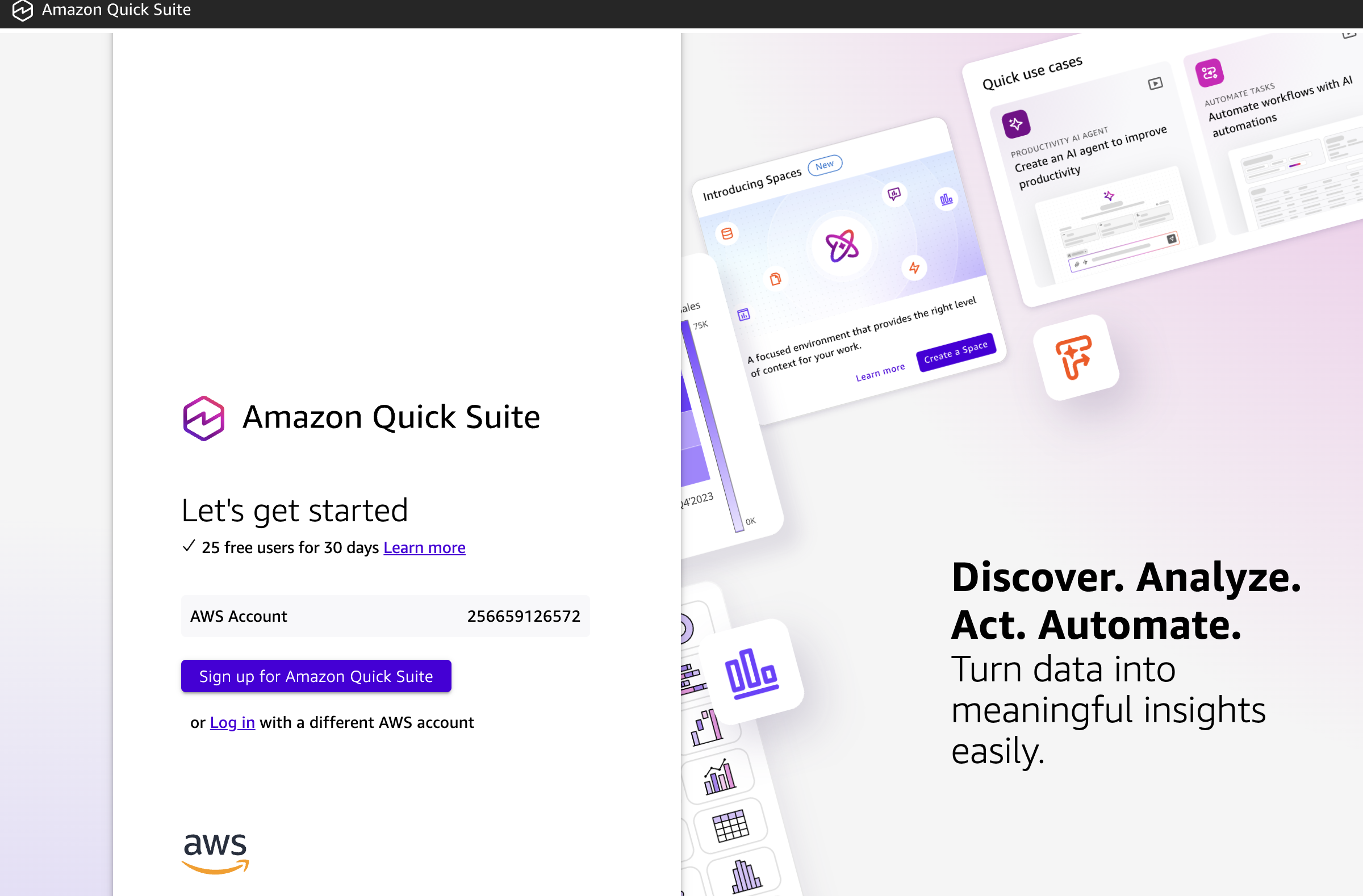
在使用之前,系统会要求我们注册
- 确保我们选择了基于我们计划部署仪表板的位置的最合适的区域。
- 为我们的 Quick Sight 账户输入一个名称。这必须在所有 Quick Sight 账户中是唯一的。
- 输入一个电子邮件地址用于接收通知。此电子邮件将链接到我们的 Quick Sight 用户账户,因此可以是我们的电子邮件。
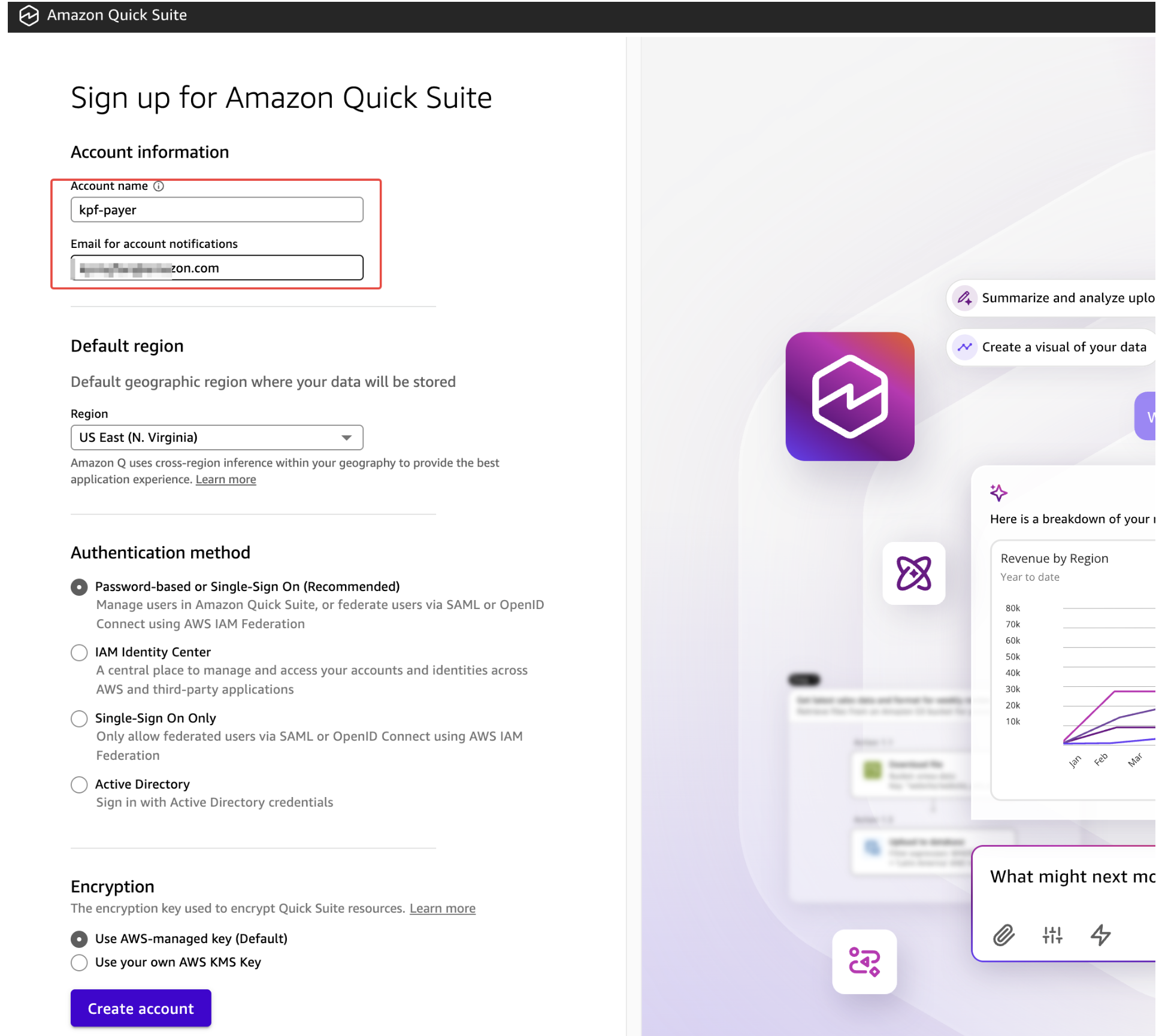
然后我们需要填写一系列选项以完成账户创建:
- 请选择适当的身份验证方法,保持默认即可
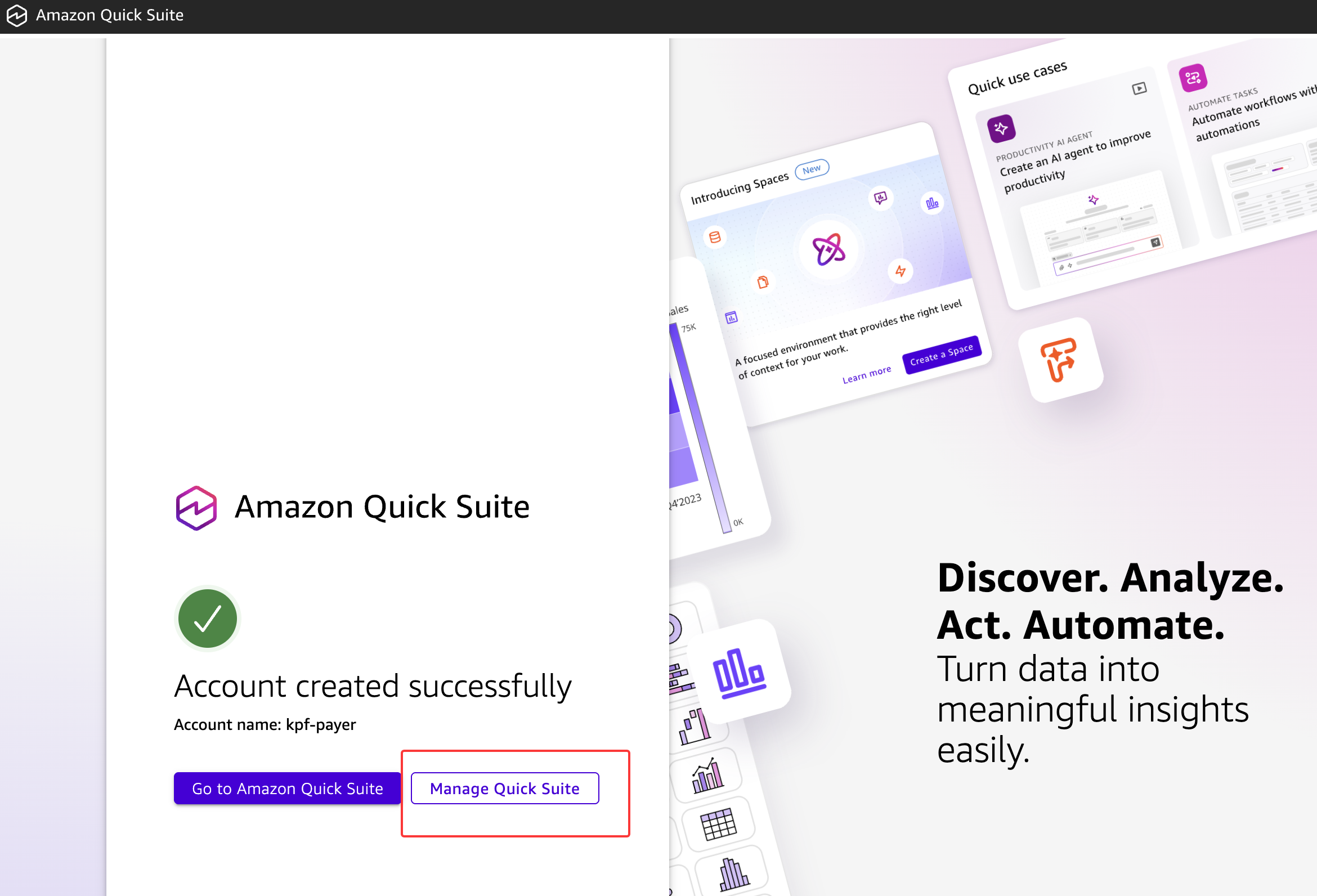
点击创建账户并等待显示祝贺屏幕。转到"管理 Quick Suite”。
- (可选,不推荐)降级我们的用户以避免 Quick Suite 中的 Amazon Q 费用。
- 确保 Pixel Perfect 和 Quick Suite 中的 Amazon Q 已停用。
- 点击 SPICE 容量选项并选择
auto purchase或购买足够的 SPICE 容量,使总容量大约为 40GB。如果我们稍后遇到 SPICE 容量错误,可以返回此处购买更多。如果我们购买了太多,也可以在部署仪表板后释放它。
部署dashboard
确保我们使用与步骤 1 相同的区域,以避免跨区域数据传输成本。此外,我们的 AWS 账户必须具有 quicksight:DescribeTemplate 权限才能从 us-east-1 区域读取。
在此步骤中,我们将使用 CloudFormation 堆栈创建 Athena 工作组、S3 存储桶、Glue 表、Glue 爬虫、Quick Sight 数据集,最后是仪表板。该模板使用自定义资源(带有此 CLI 工具 的 Lambda)来创建、删除或更新资产。
-
登录到我们的数据收集账户。
-
在 CloudFormation 中打开预填充的堆栈模板。访问:
https://console.aws.amazon.com/cloudformation/home#/stacks/create/review?templateURL=https://aws-managed-cost-intelligence-dashboards.s3.amazonaws.com/cfn/cid-cfn.yml&stackName=Cloud-Intelligence-Dashboards¶m_DeployCUDOSv5=yes¶m_DeployKPIDashboard=yes¶m_DeployCostIntelligenceDashboard=yes -
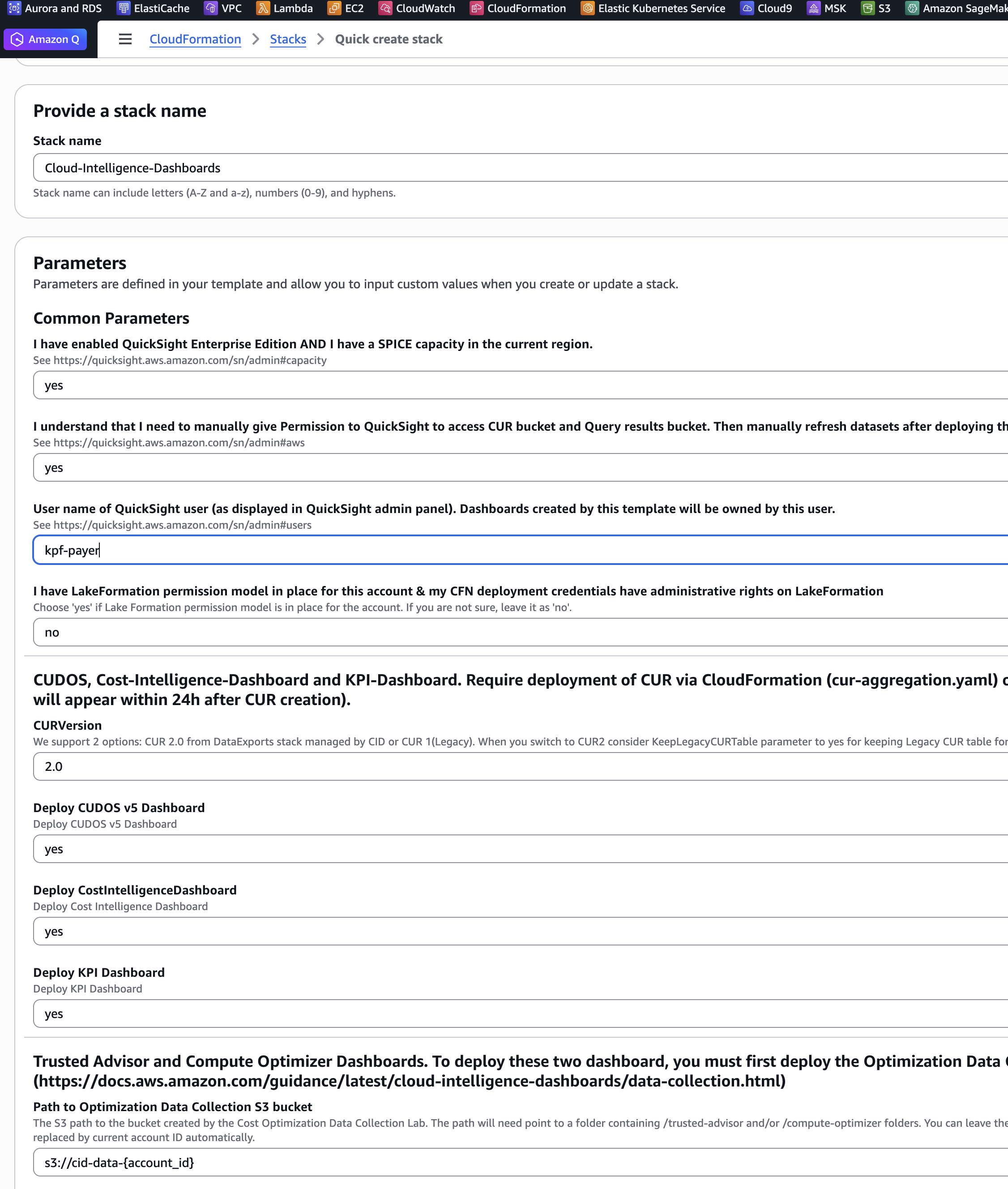
为我们的模板输入一个堆栈名称,例如 Cloud-Intelligence-Dashboards
-
查看通用参数并在指定其他参数之前确认先决条件。我们必须对两个先决条件问题都回答
yes。 -
复制并粘贴我们的 Quick SightUserName 到参数文本框中。要查找我们的 Quick Sight 用户名:
-
打开一个新的标签页或窗口,导航到 Quick Sight 控制台
-
从右上角的人物图标中找到我们的用户名

-
-
选择我们想要安装的仪表板。我们建议部署所有三个:Cost Intelligence Dashboard、CUDOS 和 KPI Dashboard。
-
检查配置,点击 I acknowledge that AWS CloudFormation might create IAM resources,然后点击 Create stack。
-
我们将看到堆栈将以 CREATE_IN_PROGRESS 开始。此步骤可能需要约 15 分钟。完成后,堆栈将显示 CREATE_COMPLETE
-
我们可以检查堆栈输出以获取仪表板 URL。请注意,此时仪表板将是空的。我们建议通过支持案例启动回填(参见回填 部分)。
更新后,Quick Sight 数据集将自动刷新。在刷新过程中,我们可能会看到"数据集变化太大"错误,该错误应在数据集完全刷新后消失
创建完成后,访问quicksight的link,可以查看dashboard。
附:解决athena cur查询不出来数据的错误
默认的建表语句是:
CREATE EXTERNAL TABLE `cur2`(
  `bill_bill_type` string,
  `bill_billing_entity` string,
  `bill_billing_period_end_date` timestamp,
  `bill_billing_period_start_date` timestamp,
  `bill_invoice_id` string,
  `bill_payer_account_id` string,
  `bill_payer_account_name` string,
  `cost_category` map<string,string>,
  `discount` map<string,double>,
  `discount_bundled_discount` double,
  `discount_total_discount` double,
  `identity_line_item_id` string,
  `identity_time_interval` string,
  `line_item_availability_zone` string,
  `line_item_legal_entity` string,
  `line_item_line_item_description` string,
  `line_item_line_item_type` string,
  `line_item_operation` string,
  `line_item_product_code` string,
  `line_item_resource_id` string,
  `line_item_unblended_cost` double,
  `line_item_usage_account_id` string,
  `line_item_usage_account_name` string,
  `line_item_usage_amount` double,
  `line_item_usage_end_date` timestamp,
  `line_item_usage_start_date` timestamp,
  `line_item_usage_type` string,
  `pricing_lease_contract_length` string,
  `pricing_offering_class` string,
  `pricing_public_on_demand_cost` double,
  `pricing_purchase_option` string,
  `pricing_term` string,
  `pricing_unit` string,
  `product` map<string,string>,
  `product_from_location` string,
  `product_instance_type` string,
  `product_product_family` string,
  `product_servicecode` string,
  `product_to_location` string,
  `reservation_amortized_upfront_fee_for_billing_period` double,
  `reservation_effective_cost` double,
  `reservation_end_time` string,
  `reservation_reservation_a_r_n` string,
  `reservation_start_time` string,
  `reservation_unused_amortized_upfront_fee_for_billing_period` double,
  `reservation_unused_recurring_fee` double,
  `resource_tags` map<string,string>,
  `savings_plan_amortized_upfront_commitment_for_billing_period` double,
  `savings_plan_end_time` string,
  `savings_plan_offering_type` string,
  `savings_plan_payment_option` string,
  `savings_plan_purchase_term` string,
  `savings_plan_savings_plan_a_r_n` string,
  `savings_plan_savings_plan_effective_cost` double,
  `savings_plan_start_time` string,
  `savings_plan_total_commitment_to_date` double,
  `savings_plan_used_commitment` double,
  `split_line_item_parent_resource_id` string,
  `split_line_item_reserved_usage` double,
  `split_line_item_actual_usage` double,
  `split_line_item_split_usage` double,
  `split_line_item_split_usage_ratio` double,
  `split_line_item_split_cost` double,
  `split_line_item_unused_cost` double,
  `split_line_item_net_split_cost` double,
  `split_line_item_net_unused_cost` double,
  `split_line_item_public_on_demand_split_cost` double,
  `split_line_item_public_on_demand_unused_cost` double,
  `tags` map<string,string>)
PARTITIONED BY (
  `source_account_id` string,
  `report_name` string,
  `data` string,
  `billing_period` string)
ROW FORMAT SERDE
  'org.apache.hadoop.hive.ql.io.parquet.serde.ParquetHiveSerDe'
STORED AS INPUTFORMAT
  'org.apache.hadoop.hive.ql.io.parquet.MapredParquetInputFormat'
OUTPUTFORMAT
  'org.apache.hadoop.hive.ql.io.parquet.MapredParquetOutputFormat'
LOCATION
  's3://cid-256659126572-data-exports/cur2/'
TBLPROPERTIES (
  'UPDATED_BY_CRAWLER'='cid-DataExportCUR2Crawler',
  'classification'='parquet',
  'compressionType'='none')
先将表删除:
drop table `cur2`;
使用此建表语句:
CREATE EXTERNAL TABLE `cur2`(
  -- [保持所有列定义不变]
  ...
)
PARTITIONED BY (
  `source_account_id` string,
  `report_name` string,
  `billing_period` string  -- 改为 billing_period,移除 data 分区
)
ROW FORMAT SERDE
  'org.apache.hadoop.hive.ql.io.parquet.serde.ParquetHiveSerDe'
STORED AS INPUTFORMAT
  'org.apache.hadoop.hive.ql.io.parquet.MapredParquetInputFormat'
OUTPUTFORMAT
  'org.apache.hadoop.hive.ql.io.parquet.MapredParquetOutputFormat'
LOCATION
  's3://cid-256659126572-data-exports/cur2/'
TBLPROPERTIES (
  'projection.enabled'='true',
  'projection.source_account_id.type'='enum',
  'projection.source_account_id.values'='256659126572',
  'projection.report_name.type'='enum',
  'projection.report_name.values'='cid-cur2',
  'projection.billing_period.type'='date',
  'projection.billing_period.format'='yyyy-MM',
  'projection.billing_period.range'='2024-01,NOW',
  'projection.billing_period.interval'='1',
  'projection.billing_period.interval.unit'='MONTHS',
  'storage.location.template'='s3://cid-256659126572-data-exports/cur2/${source_account_id}/${report_name}/data/BILLING_PERIOD=${billing_period}'
);